Why maintenance feels like a mess and how to fix it
By UnitLync Team | Maintenance request software and workflow guide
Most landlords I know started out wanting passive income. They wanted a check in the mail every month and not much else. But then the calls start. A toilet overflows on a Sunday or a tenant loses their keys at midnight. Suddenly, that passive income feels a lot like a second full-time job.
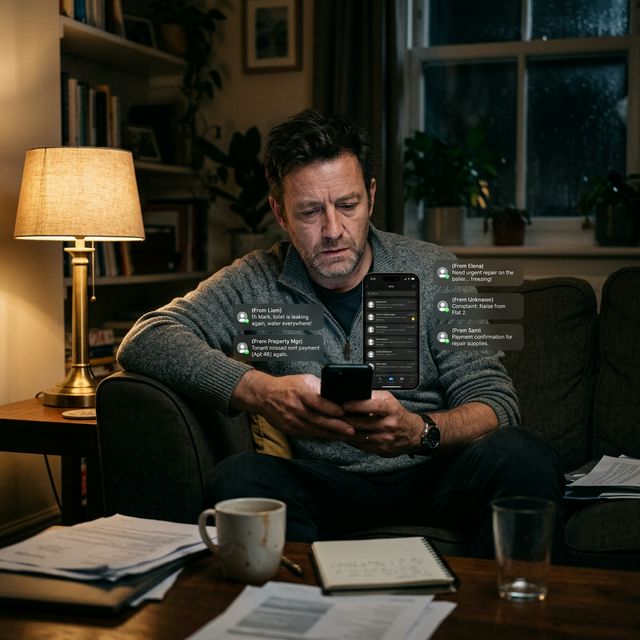
The Problem
The real issue isn't that things break. Things always break. The issue is how we handle it. Most of us use our personal phones for work. We get a text, we say we will handle it, and then we get distracted. Five days later, the tenant is mad, the leak is worse, and you are stressed.
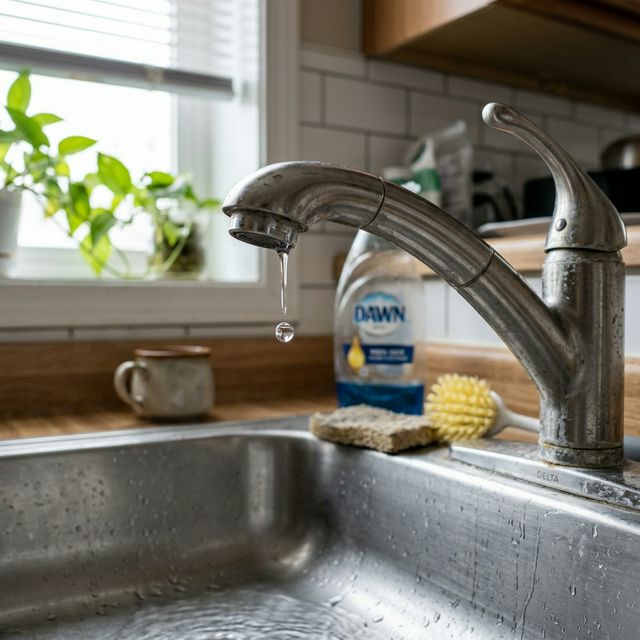
What usually goes wrong
When you manage everything through text or email, information gets lost. You might remember the tenant told you about the sink, but you forgot which unit it was. Or you sent a plumber, but you never got a confirmation that the job was done. When tax season comes around, you have to dig through months of old messages just to find out how much you spent on that one repair. It is a slow way to work and it makes it hard to scale your portfolio.
A practical solution
The best thing you can do is move your communication to a central place. Stop using your personal phone number for maintenance. You need a way to track every request from the start to the finish. This means you can see exactly when a problem was reported, who is fixing it, and if it is done.
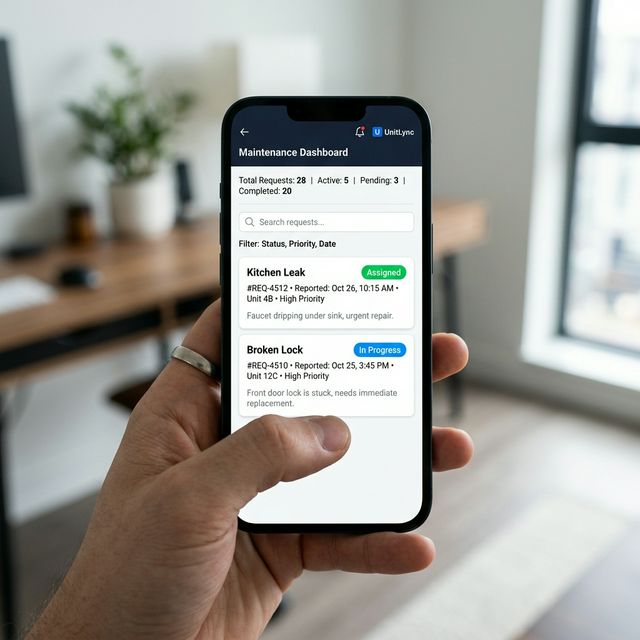
How UnitLync helps
We dealt with this exact problem ourselves. That is why we built UnitLync to handle maintenance differently. When a tenant sends you a message in the app, you can turn that chat into a maintenance ticket with one click. It keeps the photos, the notes, and the status in one spot. You do not have to hunt for information because it is all linked to the property and the tenant.
Takeaway
Renting out property should not be a constant source of stress. By moving your maintenance requests into a dedicated system, you get your time back and your tenants get faster service. It is a simple change that makes a big difference in how you run your business.
What a real maintenance system does differently
A working maintenance system does more than collect complaints. It creates a consistent path from request to resolution. Every issue should have a clear status, a clear owner, and a visible next step. That means the tenant sees progress, the contractor sees the right details, and you can see which jobs need attention without digging through texts.
In practice, that means separating maintenance into a few buckets: emergency, urgent, routine, and deferred. Emergencies need immediate escalation. Urgent items need same-day attention or a clearly communicated ETA. Routine jobs can wait for the next available slot. Deferred work should be documented so it does not disappear. Once those buckets exist, the whole process becomes easier to manage because you are not treating every issue like a brand-new fire drill.
This is also where maintenance connects to broader landlord workflow design. A good system should reduce back-and-forth messages, keep photos attached to the request, and make it easy to follow up later. If you want a broader comparison of tools that support this kind of workflow, see the property management software comparison guide. For the communication side of the workflow, the companion article on tenant communication best practices shows how to keep updates clear and professional.
What tenants should see at each step
Most maintenance frustration comes from silence. Tenants do not need constant detail, but they do need certainty. They should know that their request was received, whether it is being handled now or later, and what the next milestone is. A simple status trail can remove a lot of stress: received, reviewed, assigned, scheduled, completed.
That status trail also improves trust. If a tenant can see that the request is moving forward, they are less likely to send repeated follow-ups. If they know a plumber is scheduled for tomorrow morning, they do not feel ignored. And if the repair is delayed, the delay becomes a scheduling problem instead of a communication problem. Those are very different situations.
For landlords, this also helps with documentation. The request history becomes a record of what was reported, when it was handled, and which vendor solved it. That can be helpful for recurring issues, vendor accountability, and tax records. It is easier to prove what happened when the process is already organized.
The hidden cost of unmanaged maintenance
Unmanaged maintenance does not just cost money on repairs. It creates delay, frustration, and decision fatigue. Every time you have to search old messages, repeat a status update, or wonder whether a contractor was actually contacted, you are paying a time penalty. Over a year, those small interruptions can consume a surprising amount of energy.
There is also a health and habitability angle. If moisture, leaks, or mold are left unresolved, small problems can become expensive ones. The EPA has useful guidance on water damage and mold prevention at its mold resources, and the CDC also has general background on mold health concerns at its mold overview page. Those pages are good reminders that speed matters when a repair could affect livability.
A practical 7-day reset
If your current process is messy, do not try to rebuild it from scratch in a single afternoon. Use a 7-day reset and make the workflow easier one piece at a time.
- Day 1: list every open maintenance request and assign a status to each one.
- Day 2: define your message templates for received, assigned, scheduled, and completed updates.
- Day 3: build a vendor list with specialties, service areas, and emergency contacts.
- Day 4: decide which issues should be escalated immediately and which can wait.
- Day 5: make sure photos and notes are attached to every request.
- Day 6: create a weekly review routine so nothing gets lost.
- Day 7: test the process with one real request and adjust the bottlenecks you find.
That kind of reset makes maintenance feel like an operating system instead of a stream of random interruptions. It also creates the foundation for scaling, which is the real reason to care about process in the first place.
What every maintenance request should capture
A maintenance request is only useful if it contains enough context to act on. At minimum, capture the property, unit, issue type, severity, photos, and the tenant's preferred availability. That keeps the first response from becoming a long clarification thread. If the request moves to a contractor, keep the assignment and ETA in the same record so you do not have to rebuild the history later.
It is also helpful to attach a final status and a short note when the work is finished. That makes recurring issues easier to spot and vendor performance easier to review. Over time, those records help you see patterns: maybe one unit keeps having plumbing issues, or one contractor is slower than expected. That is useful operational data, not just admin paperwork.
Common mistakes to avoid
The most common maintenance mistake is letting everything live in the same inbox. Once messages, photos, and status updates are split apart, you lose visibility and tenants lose confidence. Another mistake is failing to distinguish between emergency and routine issues. That creates unnecessary pressure and makes it harder to respond to the truly urgent items quickly.
A third mistake is waiting until the tenant is annoyed before you communicate. Even a short status update is better than silence. If a repair cannot happen immediately, say so and give the next milestone. That simple habit is often enough to prevent frustration from turning into distrust.
A final improvement is to review recurring issues on a seasonal basis. If the same leak, HVAC complaint, or appliance failure keeps coming back, the problem may not be the individual request. It may be the vendor, the asset, or the lack of preventive maintenance. That is the kind of pattern a clean system makes visible.

Related reading
More guides on landlord communication, maintenance coordination, and portfolio operations.